
Request submittedAccess request
✓Service workflow automation
Turn repeatable service work into a visible process.
Build the path once, then let FyneDesk route each request through the right stages, conditions, approvals, timers, actions, and connected systems.
Visual builderHuman approvalsConnected actions
Access requestPublished workflow
ConditionElevated?
YesHuman approvalManager review
MCConnected actionCreate account
ITFinal actionNotify requester
RUN
SR-1843Employee access request
✓SubmittedManager approved2 actions next
Make the process inspectable
A checklist in someone's head is not a workflow.
Every agent runs a different process
Important steps depend on memory, so the result changes based on who receives the request.
Approvals disappear in chat
Nobody can tell who decided, what information they reviewed, or why the work is still waiting.
Connected tools create hidden gaps
A request may update one system while the service record stays stale and the next team never gets notified.
The workflow model
Keep people in control while the routine steps move themselves.
FyneDesk combines durable stages with automation blocks, so a workflow can wait for a human decision, read service context, call another system, and keep an execution record.
01
Model the path
Build with clear workflow blocks
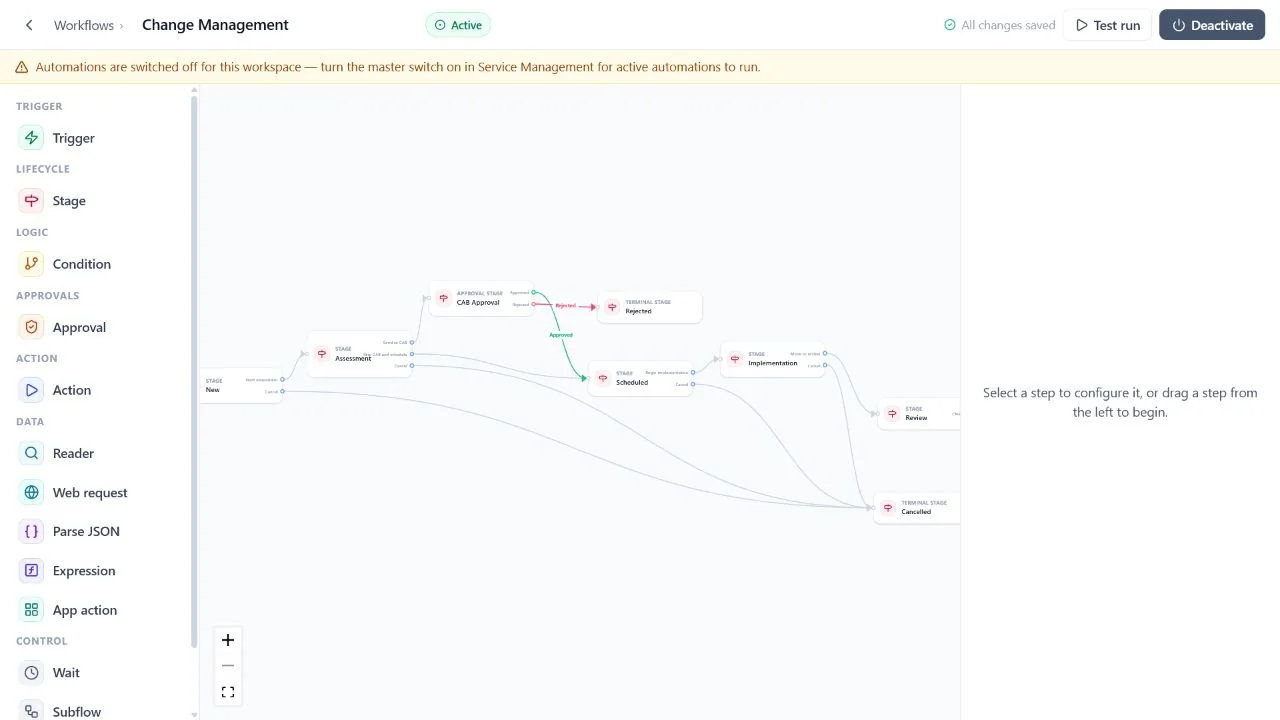
Use the visual builder to arrange the process around real service events instead of hiding logic inside a long rule form.
- Triggers, stages, conditions, approvals, actions, and waits
- Readers for contacts, companies, assets, and tickets
- Web requests, JSON parsing, expressions, app actions, loops, and subflows
- Validation before a workflow is published
02
Keep judgment human
Route decisions to the right approvers
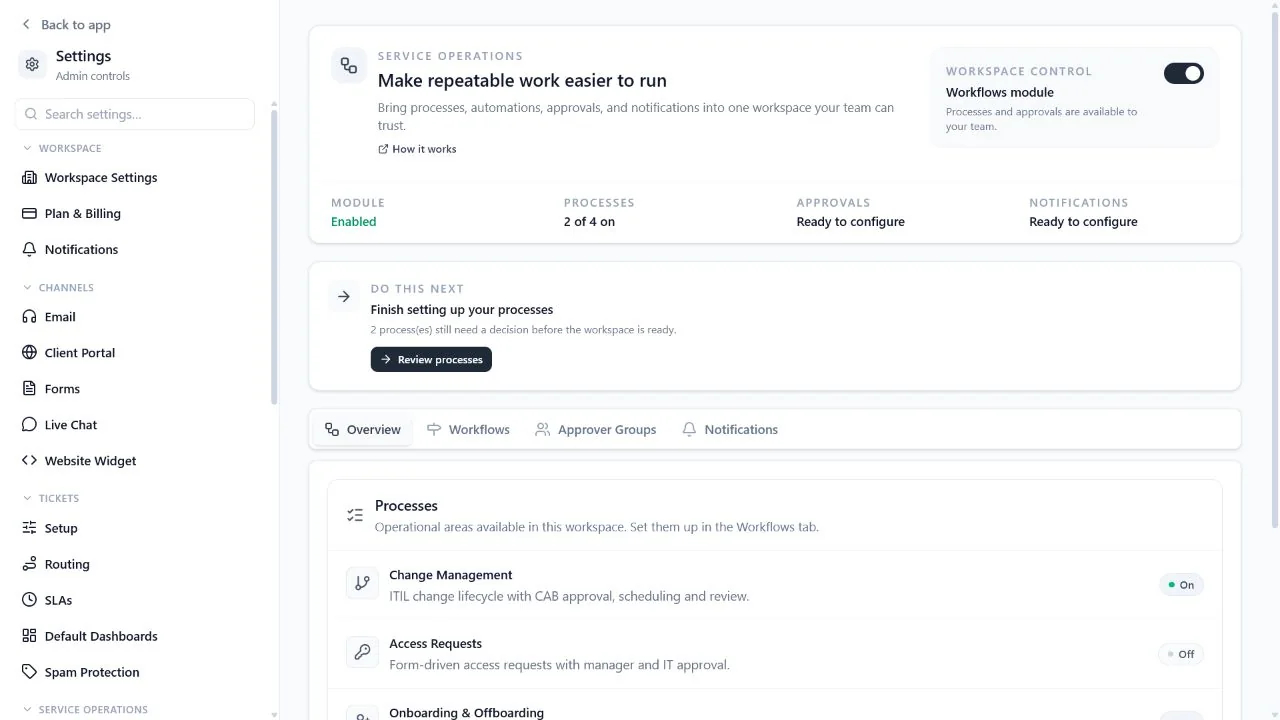
Choose who can decide and how many decisions are required, then connect approved and rejected outcomes to different stages.
- Approvers by permission, role, group, team, users, or team lead
- Any one, everyone, or a required number of approvers
- Approval request messages and decision history
- Notifications and a personal approvals queue
03
Start from a proven shape
Use ready made service processes
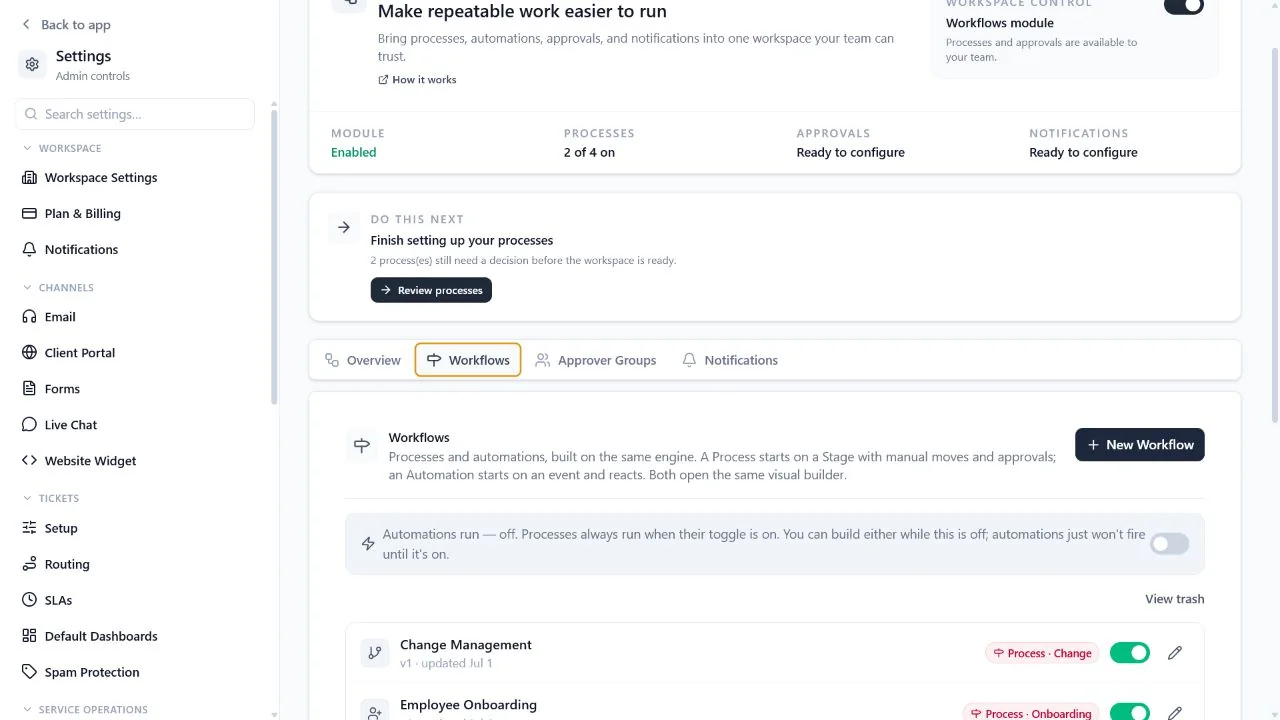
Business includes starting workflows for common internal service work, and each one can be adjusted to match the organization.
- Change management with CAB and review
- Access requests with manager and IT approval
- Onboarding and offboarding checklists
- Procurement with spend threshold approvals
Verified product scope
Automation should make the work clearer, not harder to audit.
The builder, runtime, approvals, and logs live together so administrators can understand both the intended process and what happened in a specific run.
Compare plansCapabilityStarts on
Ticket routing and standard automation rulesPro
Visual workflow builder and durable stagesBusiness
Approval groups and flexible quorum rulesBusiness
Readers, web requests, data parsing, and expressionsBusiness
Slack and generic REST app actionsBusiness
Execution history, retries, and workflow healthBusiness
Frequently asked questions
Workflow automation questions
Do FyneDesk workflows require code?
Most workflows can be assembled visually with triggers, conditions, stages, approvals, actions, and waits. Advanced teams can use web requests, JSON parsing, expressions, REST actions, and data readers when a process needs more control.
Which plan includes the visual workflow builder?
Workflow management and the visual builder are Business features. Pro includes standard ticket automations, routing rules, SLA controls, and other operational tools.
Can workflows pause for human approval?
Yes. An approval can target a permission, role, approver group, team, specific users, or the requester's team lead. The workflow can require any one approver, everyone, or a defined number of approvers.
Can a workflow call an external system?
Yes. Business workflows can use web requests, generic REST app actions, Slack actions, and outbound webhook patterns. Administrators choose the connection and the fields sent to the destination.
Are there ready made workflows?
Yes. Business includes starting processes for change management, access requests, onboarding, offboarding, and procurement. Administrators can review and edit the flow before using it.
Build the first flow
Choose one repeatable request and make its next step obvious.
Talk with us about the process you want to automate, the decisions it needs, and the systems it should connect.
Free for up to 3 agents. No credit card required.