
Your customers are asking for help.
Where do those requests go?
If the answer is "my email inbox," "a spreadsheet," or "I just try to remember" - you are losing requests. FyneDesk gives every request a home so nothing gets forgotten and no customer gets ignored.
Sound familiar?
A customer emails about a problem. It sits in your inbox between newsletters and invoices. Three days later, they email again asking why nobody responded.
Someone calls with an urgent issue. You scribble a note. By the end of the day, you cannot find the note and cannot remember what they needed.
Two people on your team are working on the same request without knowing it. Or worse, both assumed the other one handled it and nobody did.
Your boss asks "how many customer issues did we handle last month?" You have no idea because everything lives in different inboxes, chat threads, and sticky notes.
What changes with FyneDesk
Every request from every channel lands in one place. Each one gets an owner, a status, and a history. You can see what is open, what is overdue, and who is working on what. Your customers can check their own status instead of calling to ask.
Here is how it works
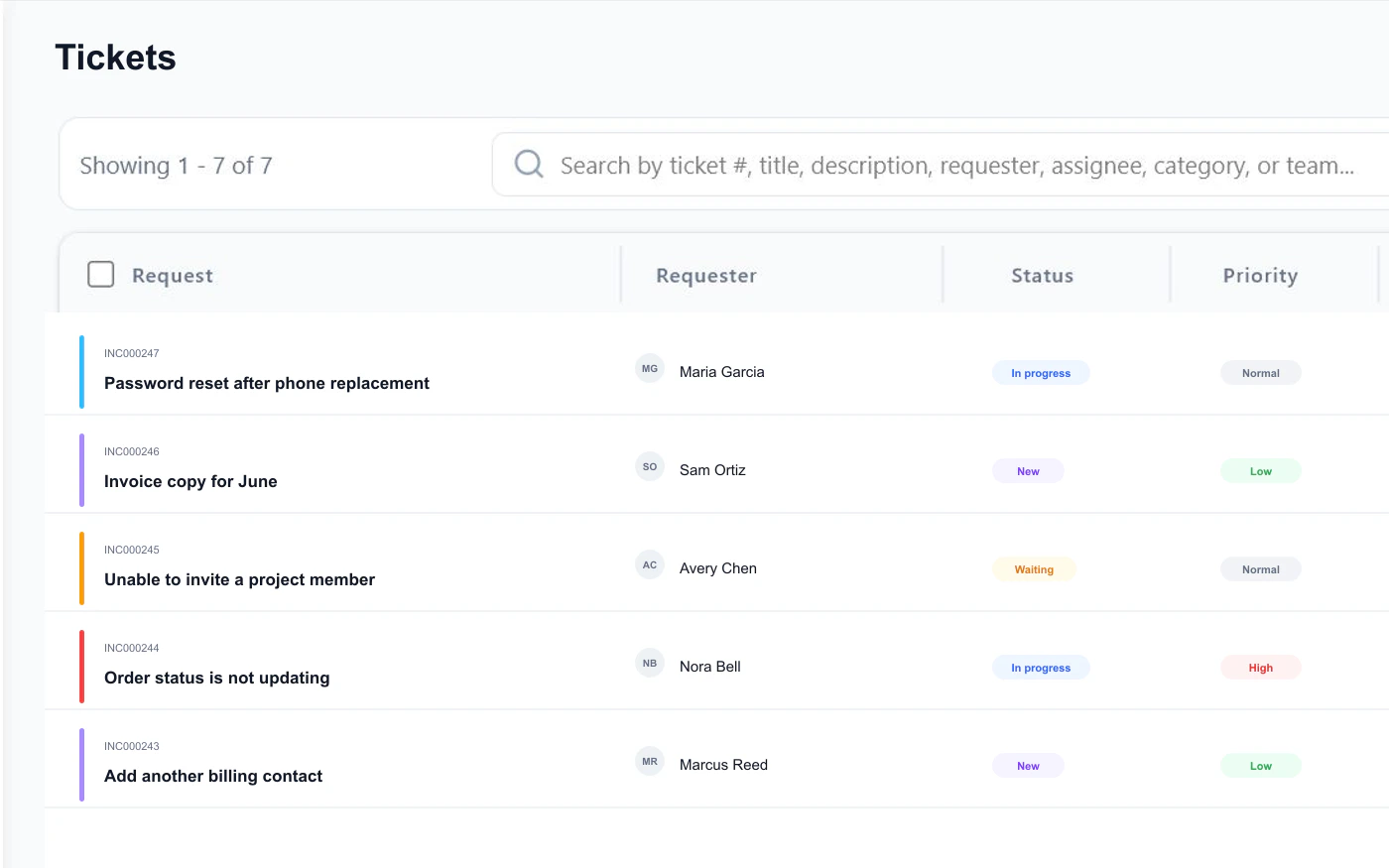
Requests come in from anywhere
A customer sends an email. An employee fills out a form on your portal. Someone messages you and you log it. However requests reach you, they all end up in the same place as tracked requests with a number, a priority, and an owner.
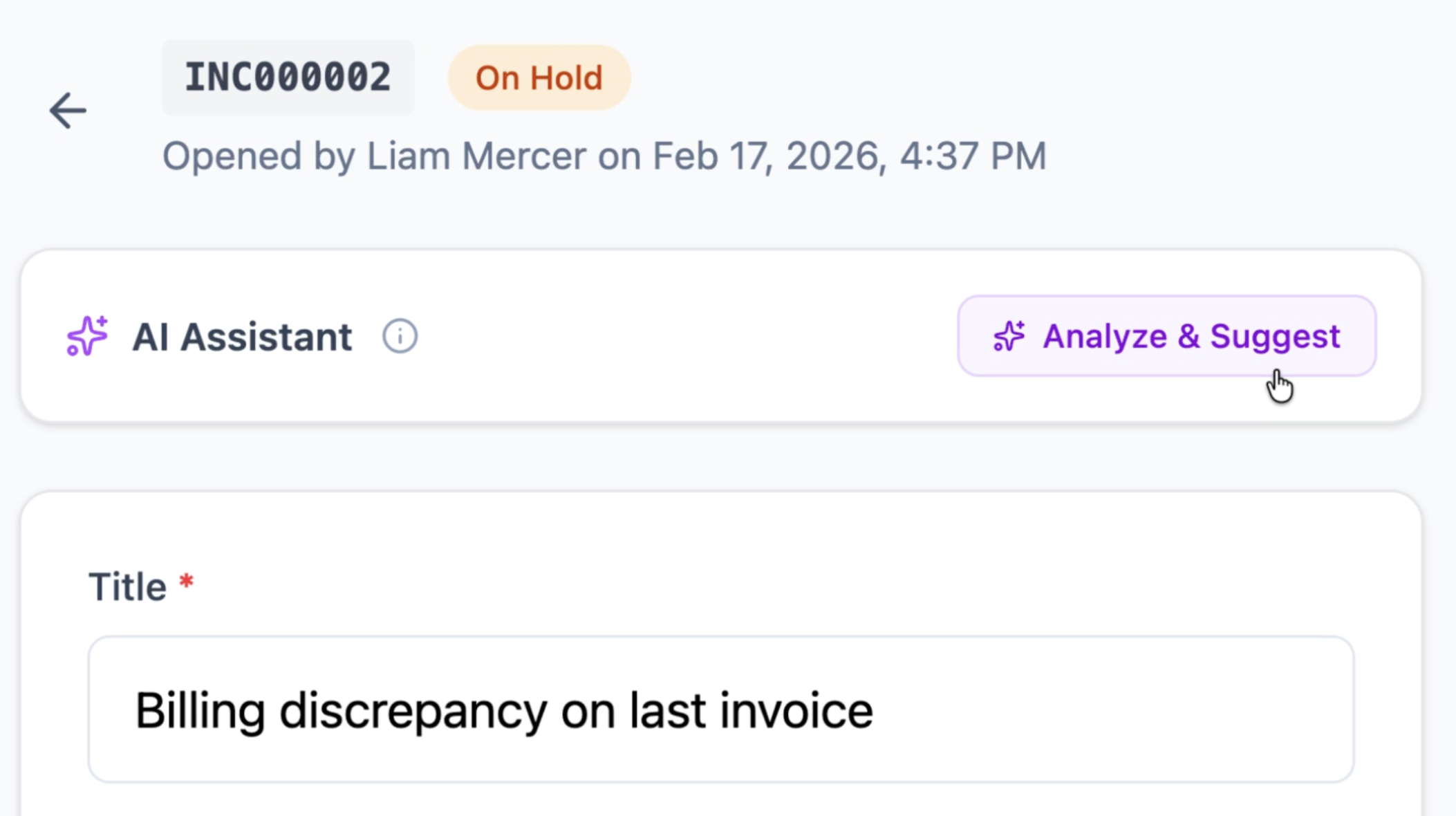
AI helps your team respond faster
When an agent opens a request, AI can summarize the conversation and draft a reply grounded in the approved knowledge available to your team. Sources stay visible, and an agent reviews the answer before it is sent.
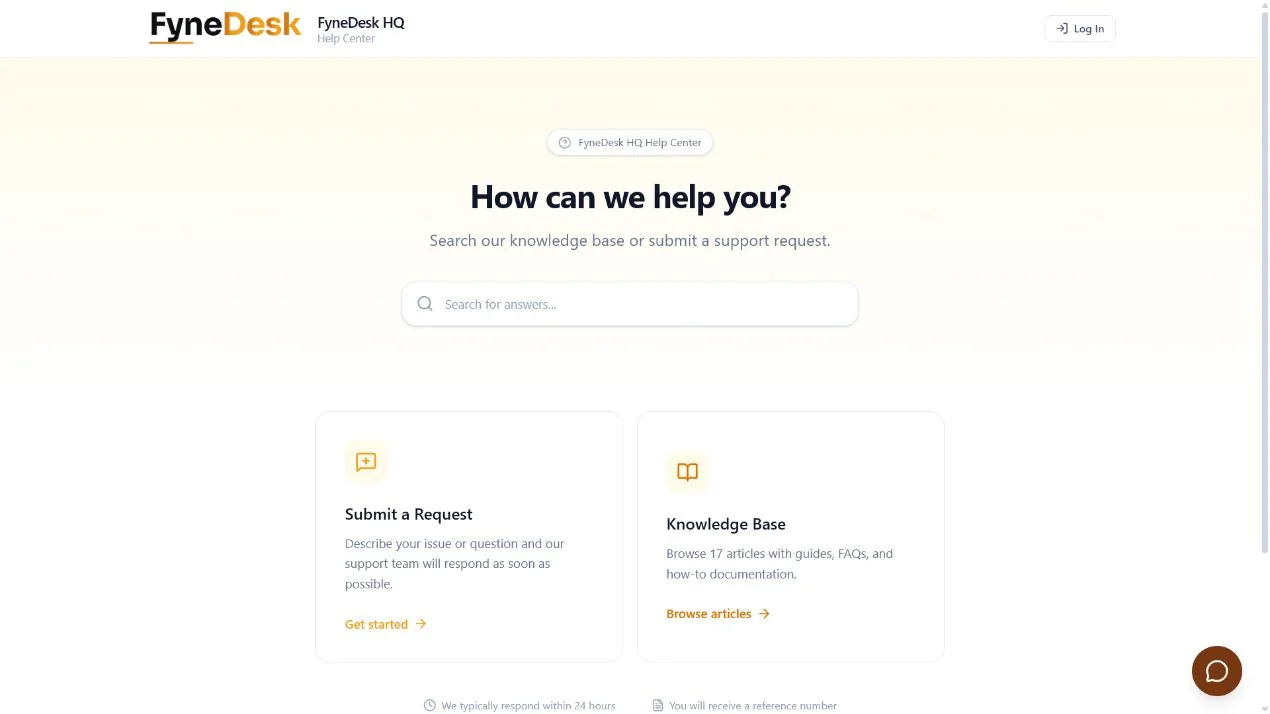
Customers help themselves
Starting with Pro, your customers get a branded page where they can submit requests, check the status of existing ones, and search your help articles. Business includes the same portal as part of its broader automation and operations toolkit.
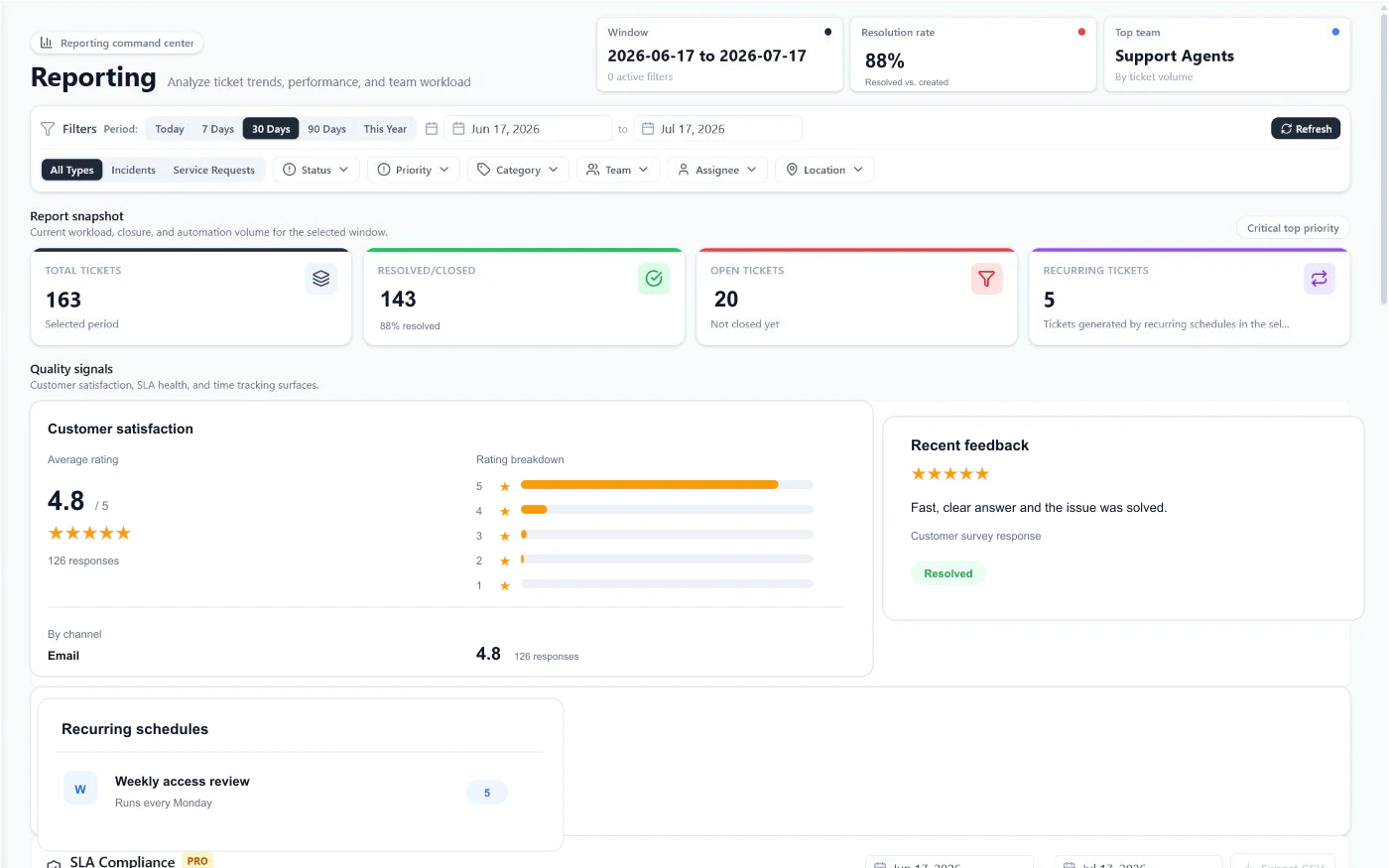
You see everything
How many requests came in this week? What is the average time to resolve? Which team member is handling the most? Where are the bottlenecks? Dashboards and reports give you answers instead of guesses.
What else is included
Everything you need to run support properly, without paying for ten different tools.
Capture and support
Give customers clear ways to ask for help and give agents the context to respond.
Coordinate the work
Keep ownership, people, services, and follow-up connected as requests move forward.
Automate and connect
Turn repeatable processes into reliable operations and connect FyneDesk to your stack.
Operate and govern
Control access, move data safely, and support teams across languages.
Your data is secure. Every organization's data is completely isolated at the database level. Encrypted in transit (TLS 1.3) and at rest (AES-256). Hosted on SOC 2 compliant infrastructure. We do not sell or share your data.
Teams that use FyneDesk
If your team receives requests from people, FyneDesk can organize them.
Customer support
E-commerce, SaaS, distributors, service businesses
A customer reports a problem. It becomes a tracked request. Your agent gets an AI-suggested response. The customer checks status on your portal. You see resolution times in your dashboard.
Learn more →Agencies and client services
Marketing, consulting, design, coworking spaces
A client has feedback on a deliverable. They submit it through your branded portal. Your team sees it alongside all their other requests. No more lost email threads.
Learn more →IT and technical support
MSPs, in-house IT, system administrators
A client calls about a server issue. It gets logged with their asset records attached. AI suggests fixes from your knowledge base. When SLA management is enabled, deadlines keep it on track.
Learn more →Internal helpdesk
HR, Finance, Facilities, Legal, Operations
An employee needs a new laptop. Instead of emailing three people, they submit a request. IT gets assigned. The employee tracks progress. Nobody forgets.
Learn more →Insurance and claims
Brokers, adjusters, claims departments
Education and nonprofits
Schools, universities, NGOs, volunteer organizations
Stop losing track of requests
Sign up in under a minute. Start with the Free plan for tickets, knowledge, and AI. Choose Pro when your customers need a portal for submission and tracking.
Free plan available. No commitment.