Your customers are asking for help.
Where do those requests go?
If the answer is "my email inbox," "a spreadsheet," or "I just try to remember" - you are losing requests. FyneDesk gives every request a home so nothing gets forgotten and no customer gets ignored.
Sound familiar?
A customer emails about a problem. It sits in your inbox between newsletters and invoices. Three days later, they email again asking why nobody responded.
Someone calls with an urgent issue. You scribble a note. By the end of the day, you cannot find the note and cannot remember what they needed.
Two people on your team are working on the same request without knowing it. Or worse, both assumed the other one handled it and nobody did.
Your boss asks "how many customer issues did we handle last month?" You have no idea because everything lives in different inboxes, chat threads, and sticky notes.
What changes with FyneDesk
Every request from every channel lands in one place. Each one gets an owner, a status, and a history. You can see what is open, what is overdue, and who is working on what. Your customers can check their own status instead of calling to ask.
Here is how it works
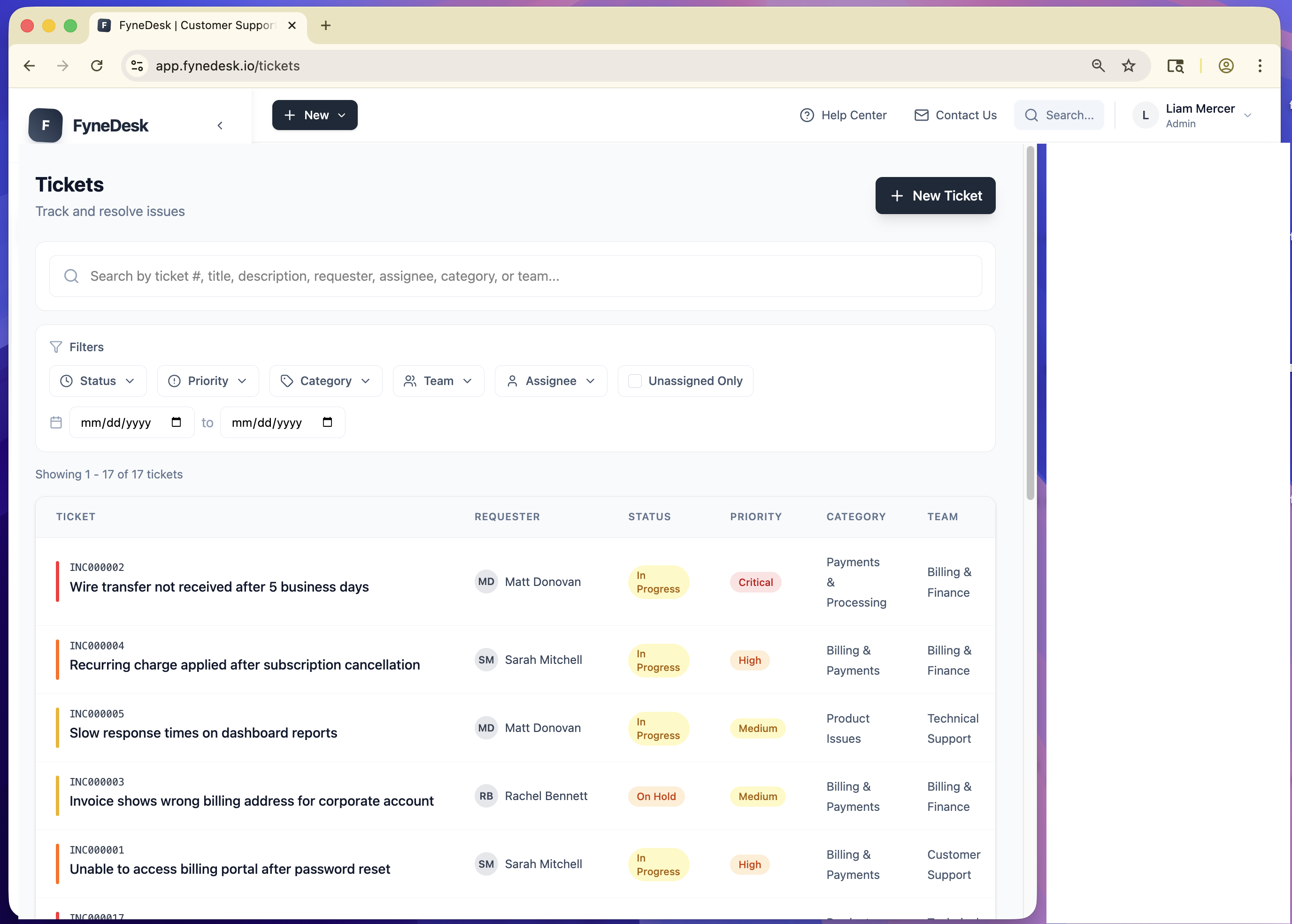
Requests come in from anywhere
A customer sends an email. An employee fills out a form on your portal. Someone messages you and you log it. However requests reach you, they all end up in the same place as tracked requests with a number, a priority, and an owner.
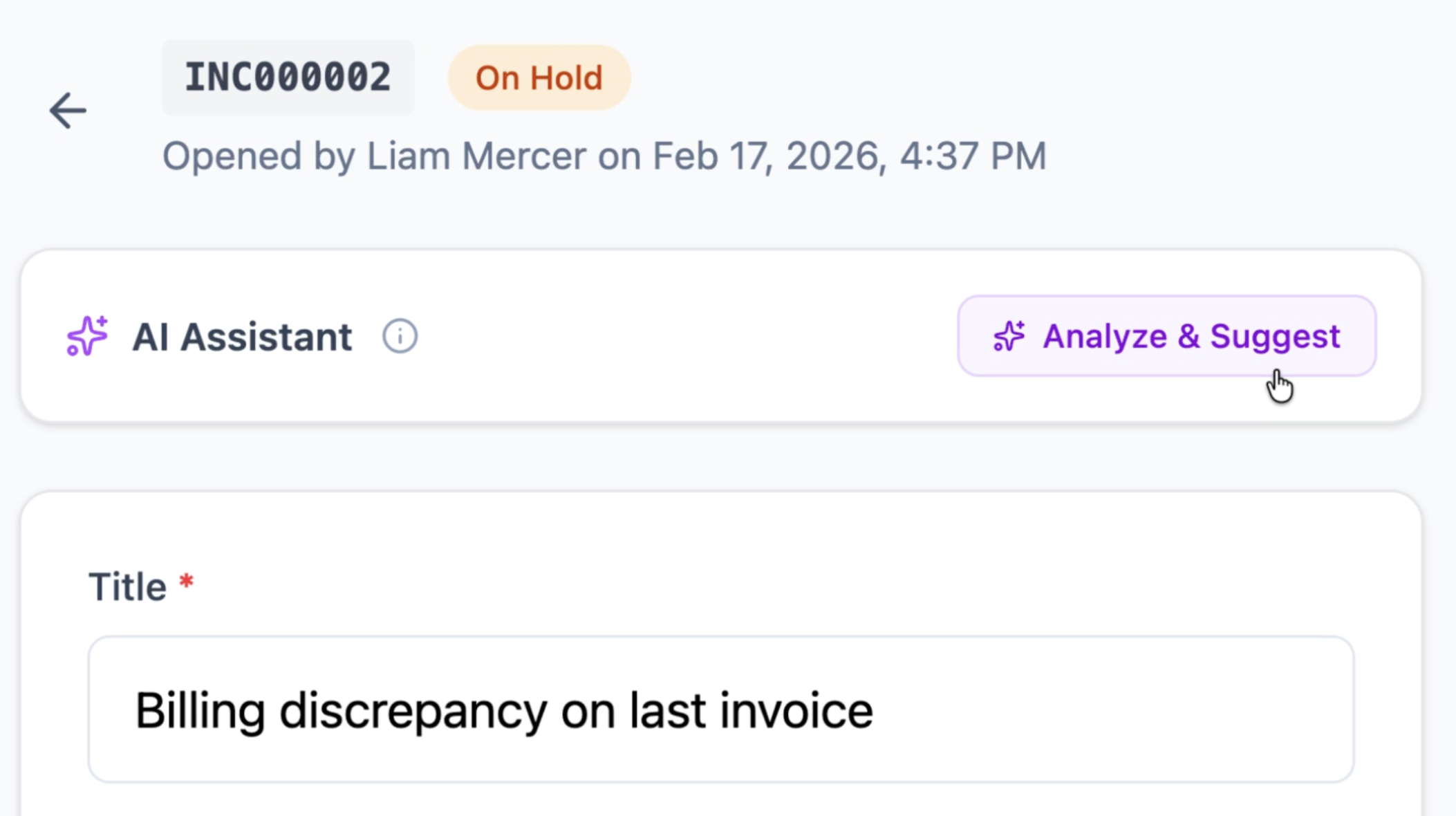
AI helps your team respond faster
When an agent opens a request, AI has already summarized the conversation, suggested a reply, and recommended a resolution. Instead of reading through a long email chain, they get the context in seconds and respond with confidence.
Customers help themselves
Your customers get a branded page where they can submit requests, check the status of existing ones, and search your help articles. Half the questions never become requests because the answer was already in your knowledge base.
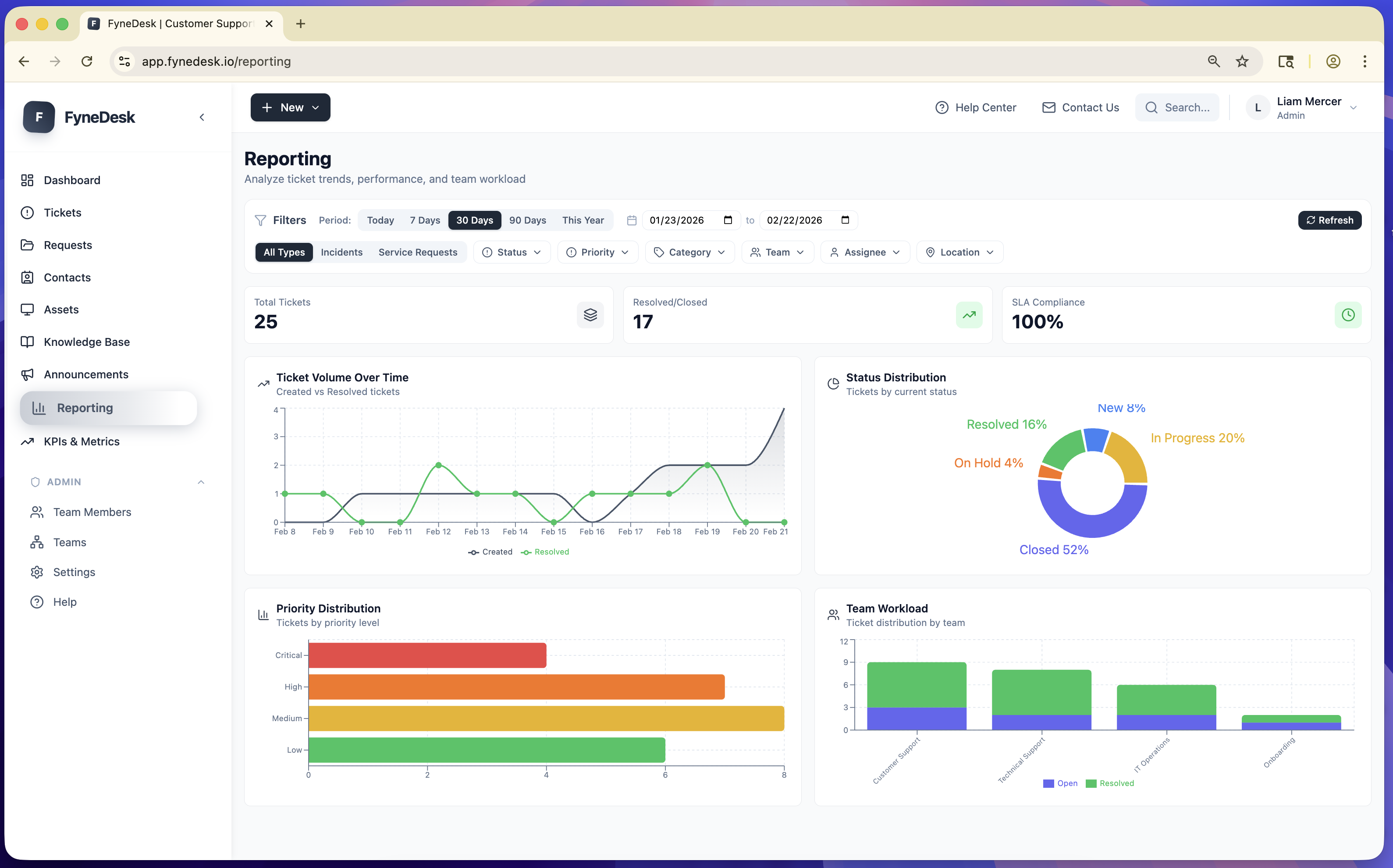
You see everything
How many requests came in this week? What is the average time to resolve? Which team member is handling the most? Where are the bottlenecks? Dashboards and reports give you answers instead of guesses.
What else is included
Everything you need to run support properly, without paying for ten different tools.
Contact records
Every customer has a profile showing their details, company, and full request history. No more digging through emails to find what happened last time.
Knowledge base
Write help articles your customers can find on their own. Your AI uses these articles to suggest accurate answers to your team.
Learn more →Email to Ticket
You get a dedicated support email. When a customer sends a message to that address, it shows up as a request in FyneDesk. No copying, no forwarding.
Learn more →Teams and roles
Add your team members. Assign roles so everyone sees what they need and nothing they should not. Requests get assigned to the right person.
Learn more →Asset tracking
Track equipment, devices, or inventory. Link assets to customers and requests so you know exactly what they have and what broke.
Automations
Set rules that run on their own. Escalate a request if nobody responds in 24 hours. Notify a manager when something is overdue. Close stale requests automatically.
Deadline tracking (SLAs)
Set targets for how fast your team should respond and resolve. FyneDesk tracks compliance so you know if you are meeting your promises.
Webhooks
Connect FyneDesk to Slack, WhatsApp, Zapier, or any tool you already use. When something happens in FyneDesk, your other tools know about it.
Learn more →Live chat
Talk to customers in real time through your Client Portal. Agents set themselves as available, and customers see a chat option when someone is ready to help.
Learn more →Website widget
Add a small button to your website. Visitors click it and submit a request without leaving your site.
Learn more →CSV export
Download your requests, contacts, and reports as spreadsheets whenever you need them for reporting, compliance, or migration.
Email notifications
Your team gets notified when they are assigned a request, when a customer replies, or when something changes. Configurable per person.
Multiple languages
The interface works in English, German, and Spanish with more coming. Serve your customers in their language.
Your data is secure. Every organization's data is completely isolated at the database level. Encrypted in transit (TLS 1.3) and at rest (AES-256). Hosted on SOC 2 compliant infrastructure. We do not sell or share your data.
Teams that use FyneDesk
If your team receives requests from people, FyneDesk can organize them.
Customer support
E-commerce, SaaS, distributors, service businesses
A customer reports a problem. It becomes a tracked request. Your agent gets an AI-suggested response. The customer checks status on your portal. You see resolution times in your dashboard.
Learn more →Internal helpdesk
HR, Finance, Facilities, Legal, Operations
An employee needs a new laptop. Instead of emailing three people, they submit a request. IT gets assigned. The employee tracks progress. Nobody forgets.
Learn more →IT and technical support
MSPs, in-house IT, system administrators
A client calls about a server issue. It gets logged with their asset records attached. AI suggests fixes from your knowledge base. SLA deadlines keep it on track.
Learn more →Agencies and client services
Marketing, consulting, design, coworking spaces
A client has feedback on a deliverable. They submit it through your branded portal. Your team sees it alongside all their other requests. No more lost email threads.
Learn more →Insurance and claims
Brokers, adjusters, claims departments
A claim comes in. It gets a deadline. Every call, email, and document is logged against it. When compliance asks for a trail, it is already there.
Education and nonprofits
Schools, universities, NGOs, volunteer organizations
Student services, donor inquiries, volunteer questions. All organized, all tracked, all free. No budget needed to get started.
Stop losing track of requests
Sign up in under a minute. Start with the free plan. Your customers get a portal. Your team gets AI. You get visibility into everything.
Free plan available. No commitment.